AI Product Photography Tools
Nano Banana 2: 2025 Full Review (Real Case Study)-Features & Limitations
Discover what’s new in Nano Banana 2 — face swap, multi-step editing, character consistency, and how SCENE4 turns it into production-ready results.
Nov 25, 2025
CONTENT INDEX
What Is Nano Banana 2? (Short Answer)
Nano Banana 2 just launched — and the internet is on fire.
Creators are calling it the biggest leap in consumer-grade AI image editing since MidJourney 5.2.
Firstly, don't be fooled by other websites. Nano Banana is a tool in Google's Gemini 3. It does not have its own domain or website. So, if you search for Nano Banana, and land on some "nanobanana.com", it is not the actual tool! Please be aware of this, because many users have been fooled.
This is the correct way to access Nano Banana:
Go to Google's Gemini 3 https://gemini.google.com/
You should try Gemini 3 Pro (they offer one month free trial for now).
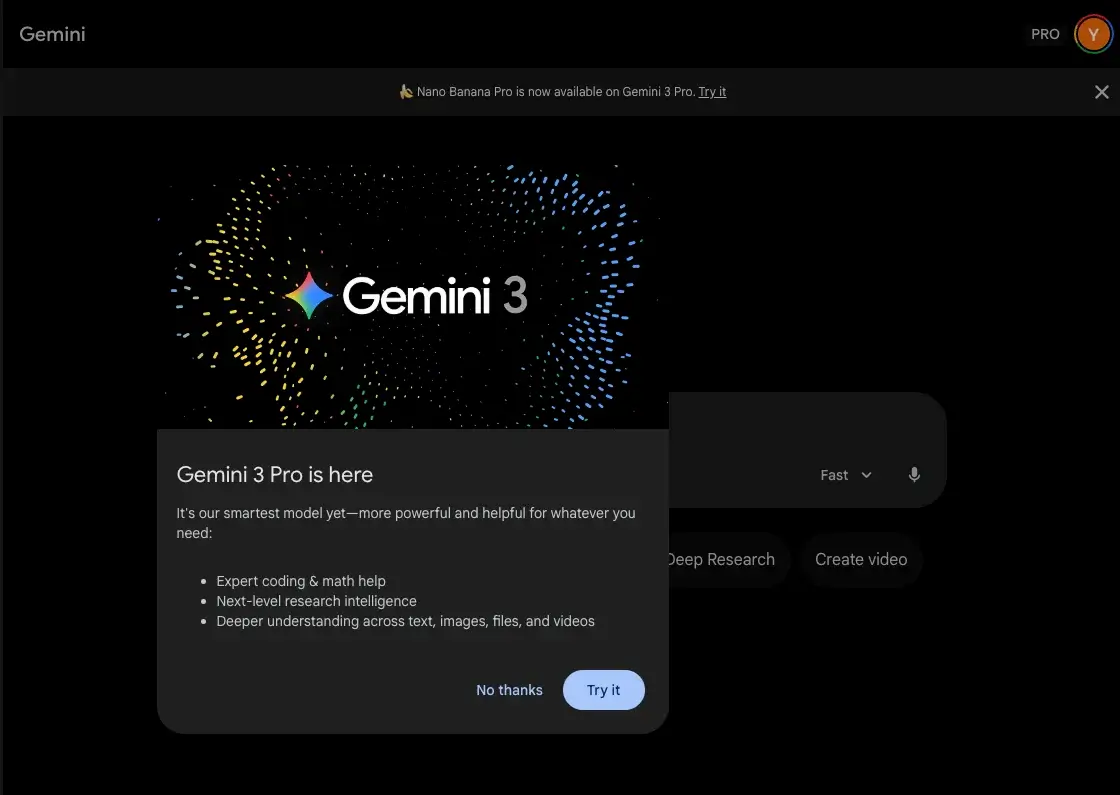
And choose "Create images" under the Tools button.
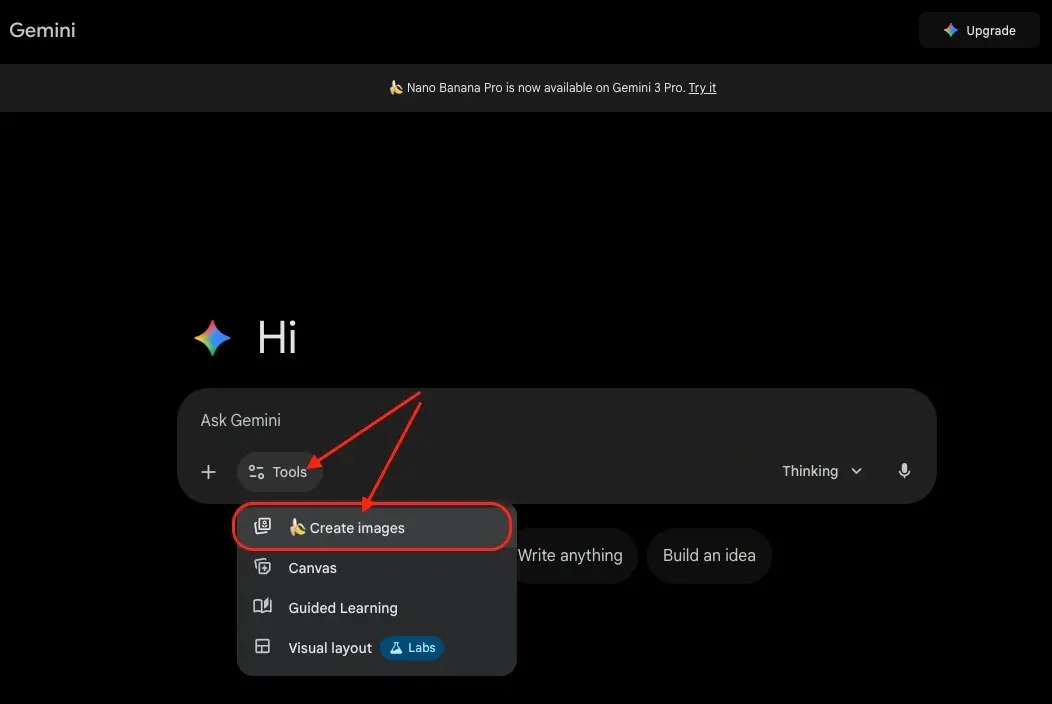
That's it. Gemini would be using Nano Banana to create images for you.
Here's the real story:
Nano Banana 2 is not just “a better version of Nano Banana 1.”
It’s a completely rebuilt engine powered by Gemini 3 Pro, designed to:
Perform multi-step edits without melting faces
Keep characters consistent across scenes
Understand object physics (earrings, glasses, clothing)
Blend multiple images sensibly
Dramatically reduce hallucinations
In this guide, I break down:
What Nano Banana 2 actually changed
How it compares to other AI image tools
Where it performs well — and where it still fails
A complete, real-world test case using selfies, scenes, accessories
How SCENE4 transforms Nano Banana 2 concepts into real, production-grade campaigns
Nano Banana is actually capable of so many things. But for the purpose of our discussion, we would be focusing on the above listed features for now.
What’s New in Nano Banana 2? (Major Upgrades)
1. Character Consistency Engine
Nano Banana 1 struggled to keep faces the same across images.
Nano Banana 2 introduces:
Consistent facial identity
Stable eye / nose geometry
Preservation of age, expression, freckles, makeup
2. Multi-Step Editing Without Collapse
You can now:
Replace a face
Change clothing
Remove objects
Insert objects
Adjust lighting
…and the image remains coherent — instead of mutating like before.
3. Physics Awareness
Nano Banana 2 understands the actual "physics" of the objects in the real world. For example, it understands:
Earrings attach to earlobes
Clothing must follow body flow
Hands need correct orientation
Shadows follow lighting direction
This is considered a very vital improvement. Because the main frustration with using Nano Banana 1 is that at times it fails to understand how the world actually works. So, you would get objects floating in the air or being "used" by models in weird ways. And to feed all the information through prompting is like mission impossible. So, this improvement is like life saving.
4. Higher Resolution Output
Generates crisp, cinematic images with fewer artifacts. Nano Banana 2 is capable of generating 4K images which are essential for commercial usage.
5. Better Semantic Reasoning
Nano Banana 2 understands intent, not just keywords — a huge step toward human-level editorial control.
Nano Banana 2 vs. Other AI Tools (2025)
Nano Banana 2 is phenomenal for concepting, character editing, fashion lookbooks, and moodboards.
But it is not reliable enough for ecommerce or production-grade campaigns — which is where SCENE4 enters the workflow.
Feature | Nano Banana 2 | MidJourney | DALL·E 3 | SCENE4 | |
|---|---|---|---|---|---|
Face Editing | ⭐⭐⭐⭐⭐ | ⭐ | ⭐⭐⭐ | N/A | |
Character Consistency | ⭐⭐⭐⭐ | ⭐⭐ | ⭐⭐⭐ | ⭐⭐⭐⭐⭐ | |
Physics Awareness | ⭐⭐⭐⭐ | ⭐⭐ | ⭐⭐⭐ | ⭐⭐⭐⭐ | |
Precise Product Accuracy | ⭐⭐⭐ | ⭐ | ⭐ | ⭐⭐⭐⭐⭐ | |
Campaign-Level Variation | ⭐⭐⭐ | ⭐⭐⭐ | ⭐⭐⭐ | ⭐⭐⭐⭐⭐ | |
Multi-Step Edits | ⭐⭐⭐⭐ | ⭐ | ⭐⭐⭐ |
|
Real Case Study: Nano Banana 2 Character Consistency & Multi-Step Editing Test
To stress-test the new update, I ran a full multi-stage workflow using:
A selfie
A cinematic theater scene
An earring product photo
Nano Banana 2 editing features
SCENE4 for production-quality results
Below is the complete sequence.
STEP 1 — Upload the Selfie + Scene Inspiration
Two input images:
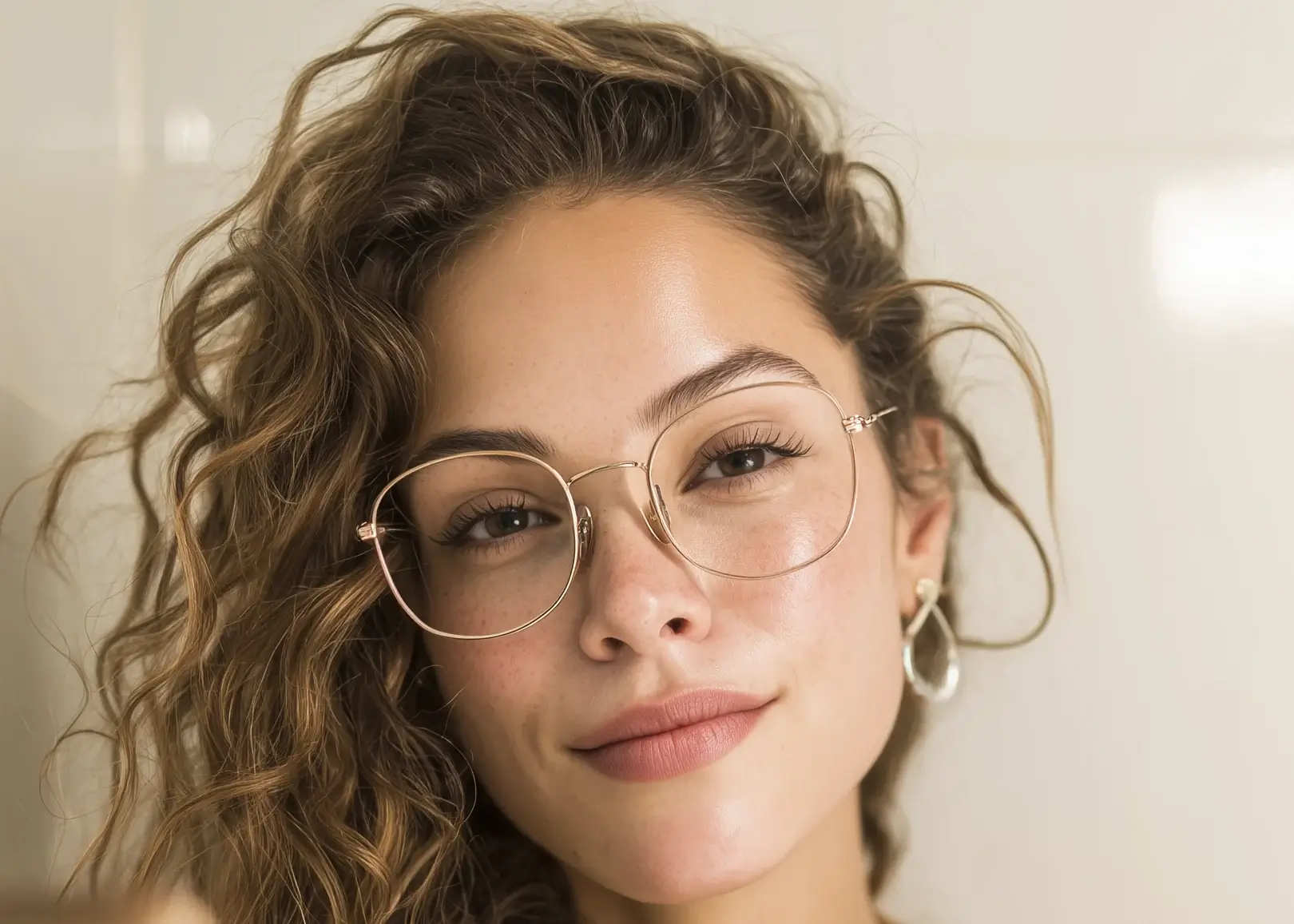
Selfie, natural lighting
Scene Inspiration: a dramatic theater setting
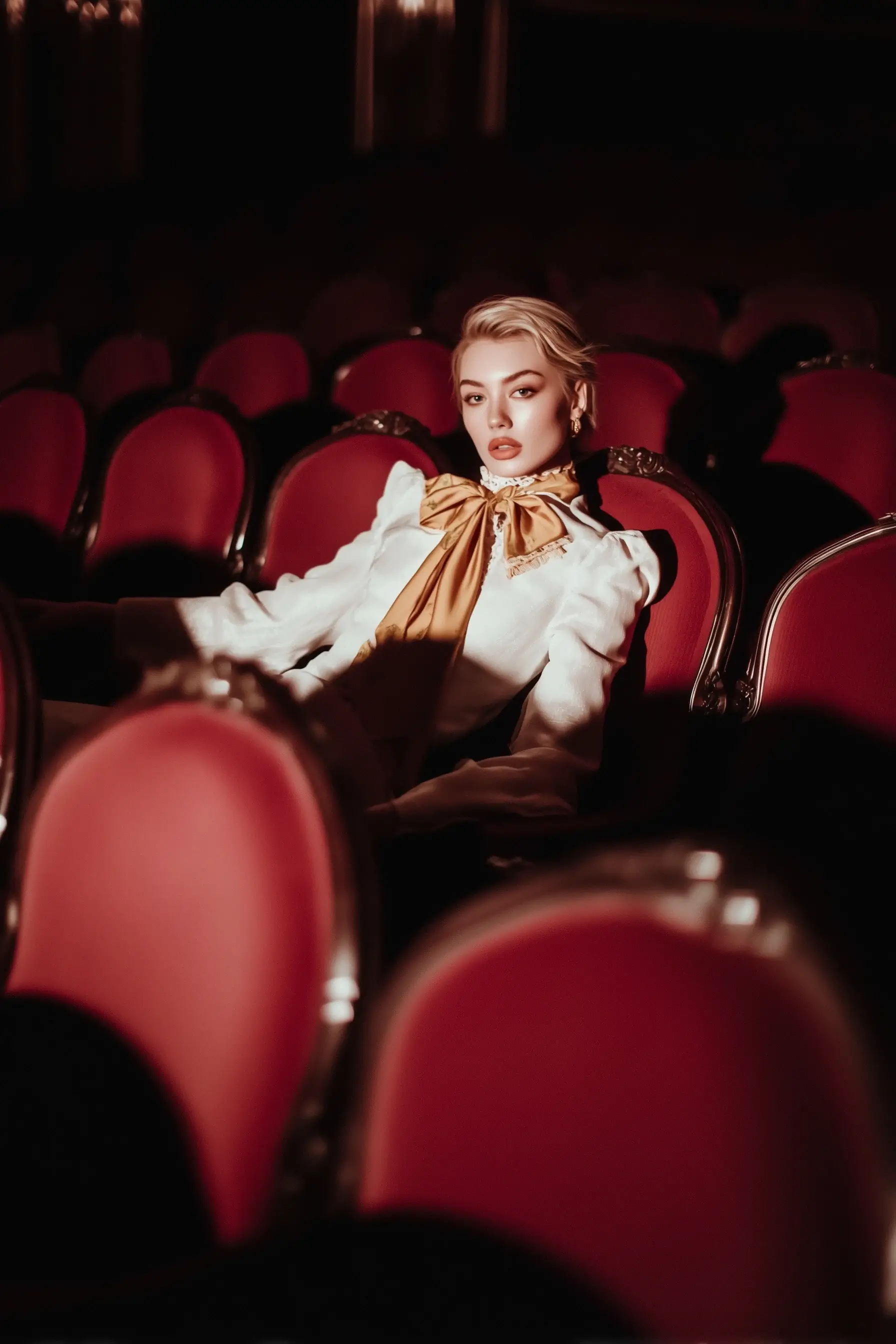
I want to test if Nano Banana 2 is able to swap faces seamlessly. I want the selfie image to be the "model" in the theater scene.
My prompt: “Swap the face of the scene inspiration image with the face from the selfie. Keep background, clothing, posture intact. Make it look natural.”
Result 1:
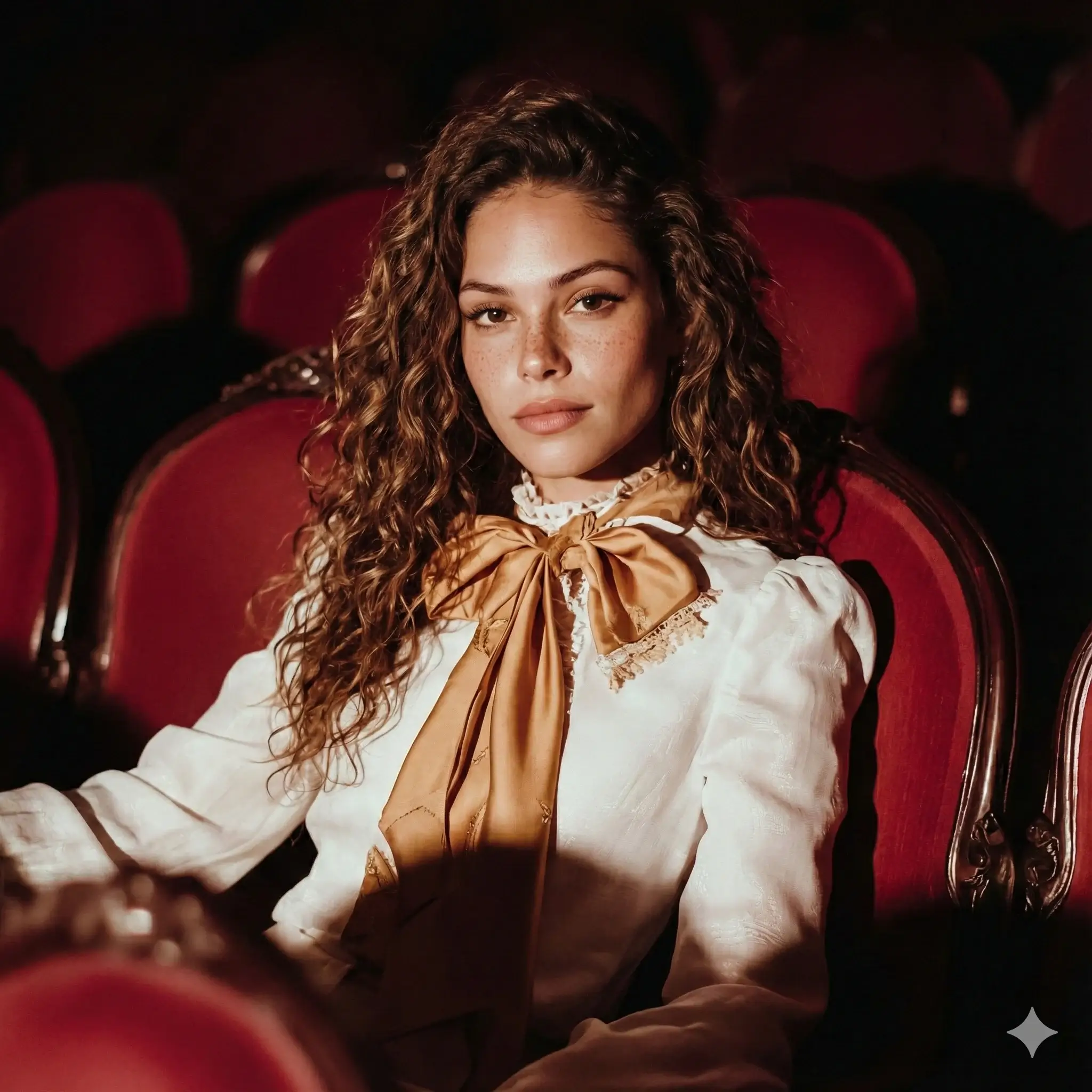
Nano Banana 2 successfully maintained:
Pose
Lighting
Setting
Clothing
But identity fidelity fell short:
The face looked similar to the selfie, but not the same person.
STEP 2 — Reverse the Prompt (Better Result)
In order to get better results, I tries prompting from another angle. This time, I want the system to change of the scene of the selfie image to that of the theater.
New prompt: “Change the scene of the selfie to match the theater scene. Clothing should match the inspiration image.”
Result 2:
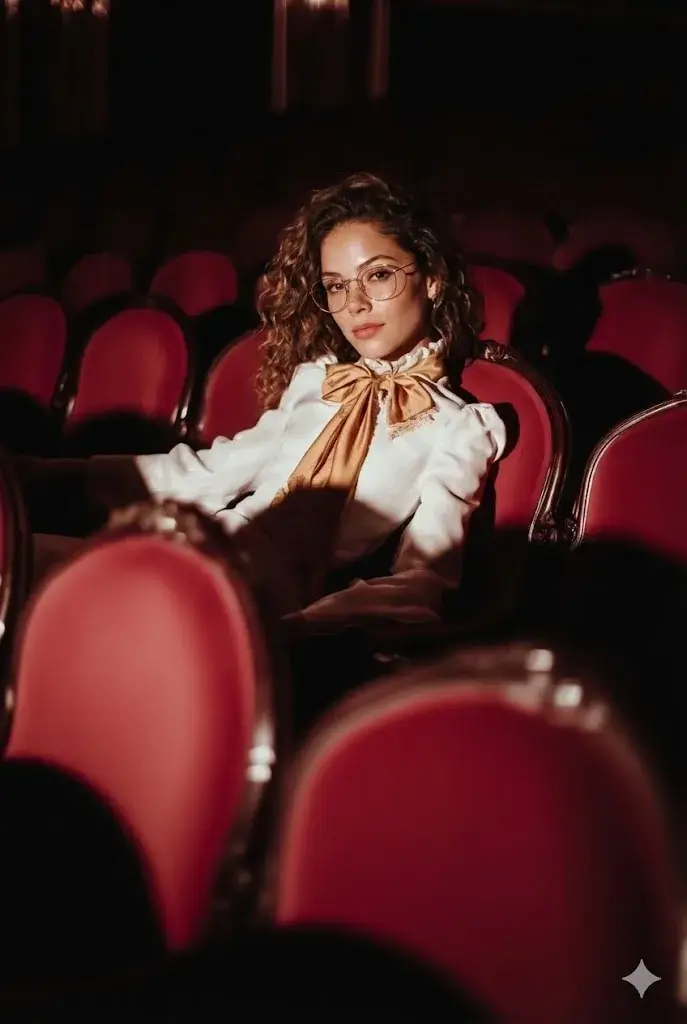
This time:
Identity matches the selfie very well
Character consistency achieved
Lighting matches the new environment
But scale is slightly off — head appears a bit enlarged.
Still, this is a huge improvement over Nano Banana 1.
STEP 3 — Remove Glasses
Now, I want to try removing objects from the image.
Prompt: “Remove the model’s glasses.”
Result 3:
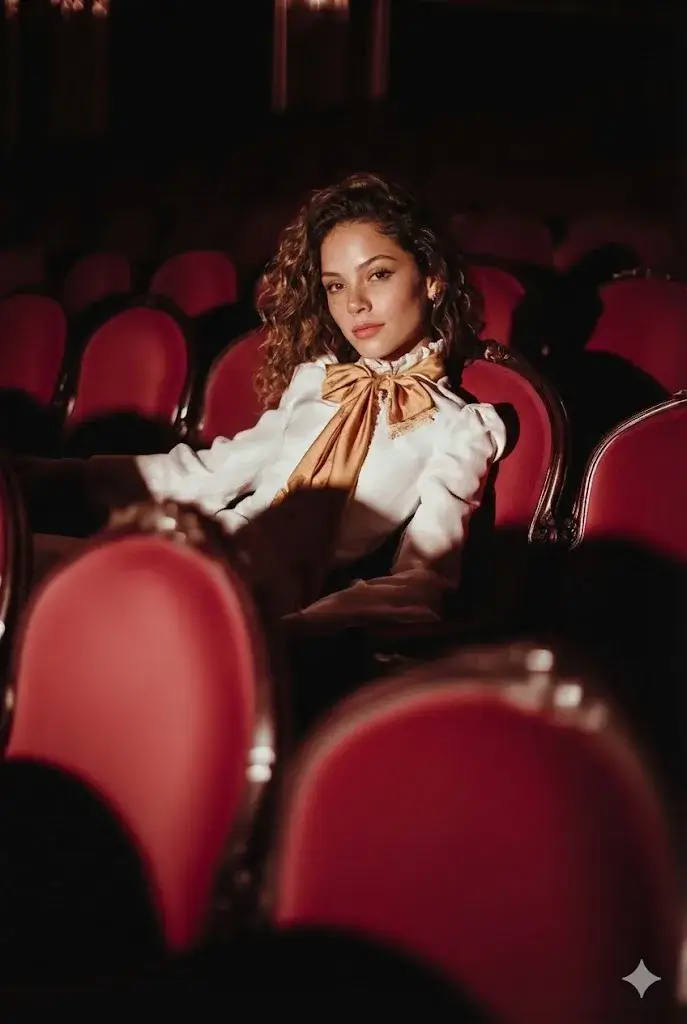
Nano Banana 2 cleanly removed:
Glasses
Reflections
Distortion
…and kept everything else unchanged.
Nano Banana 1 would have hallucinated eyes or warped facial geometry — so this is a massive upgrade.
STEP 4 — Combine Images (earrings + portrait)
I now want to test if Nano Banana 2 is able to combine images in a sensible manner.
Uploaded:
Result-3
Earring product photo
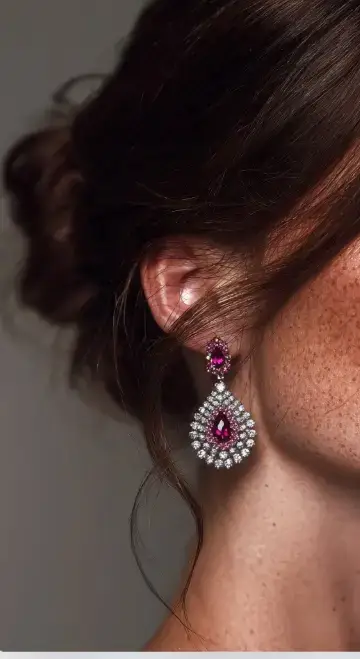
Prompt: “Combine these so the model is wearing the earrings.”
Result 4:
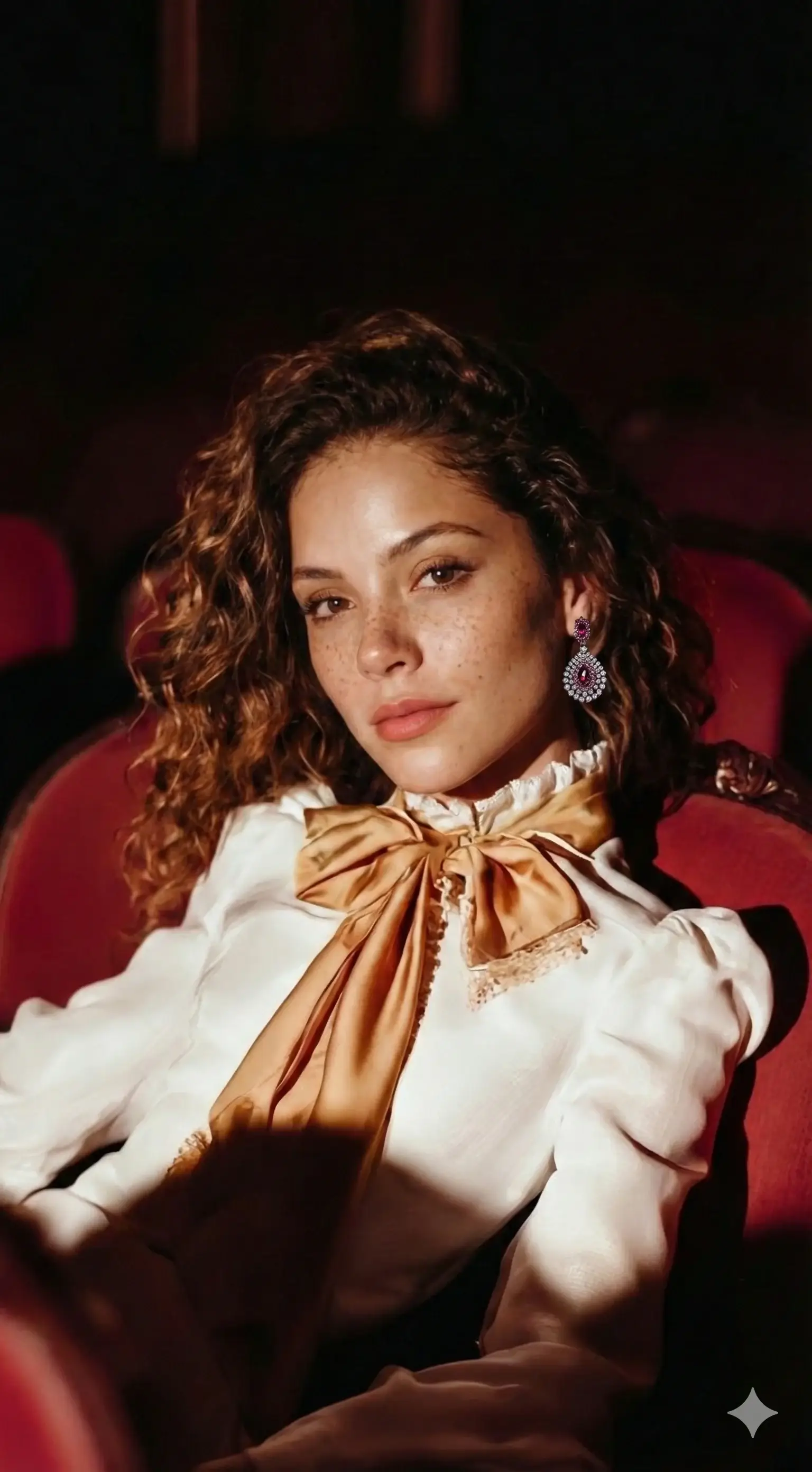
The AI successfully:
Detected correct ear placement
Attached earrings naturally (although the outline of the ear is somehow blurred)
Preserved lighting
BUT:
The head became oversized — showing Nano Banana 2 still struggles with proportional anatomy when combining objects.
Overall Conclusion So Far
Nano Banana 2 is:
Great for ideation
Great for concept boards
Great for character consistency
Great for multi-step editing
NOT production-ready for commercial use yet.
And that is exactly why the next stage uses SCENE4.
Turning Concepts into Production Campaigns — Nano Banana 2 + SCENE4 Hybrid Workflow
Nano Banana 2 is excellent at concept generation, but SCENE4 is built for:
Physics-accurate rendering
Perfect scale
Identity consistency
Cinematic lighting
Campaign coherence
Here is the professional workflow.
STEP A — Extract the Empty Scene Using Nano Banana 2
Prompt: “Remove the model from the scene.”
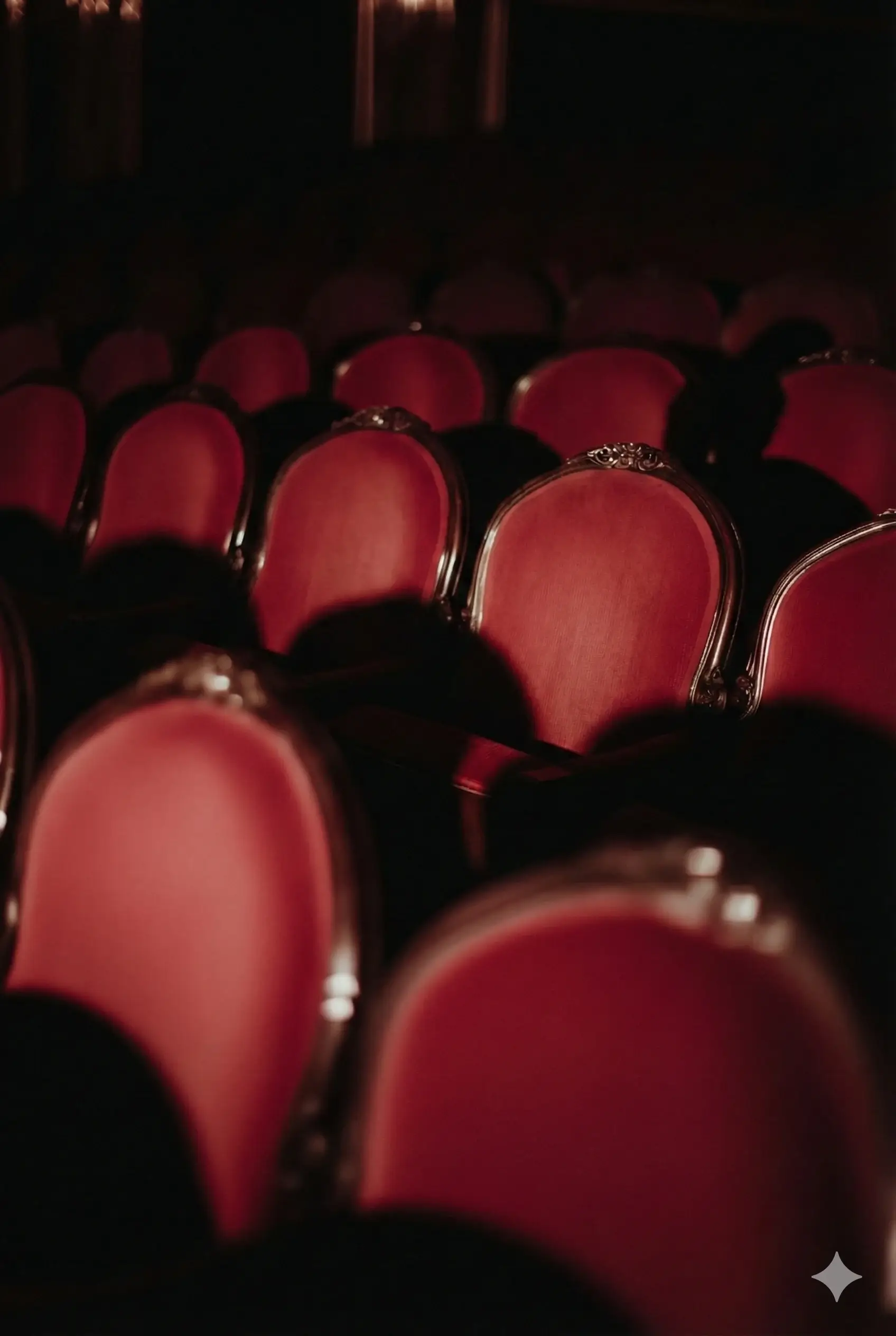
Nano Banana 2 produces a clean, empty theater scene — “scene-without-model.”
This gives us a usable background plate, similar to VFX workflows.
STEP B — Upload to SCENE4 (Custom Scene)
Inside SCENE4:
Upload scene-without-model as Custom Scene
Upload selfie under product type “person”
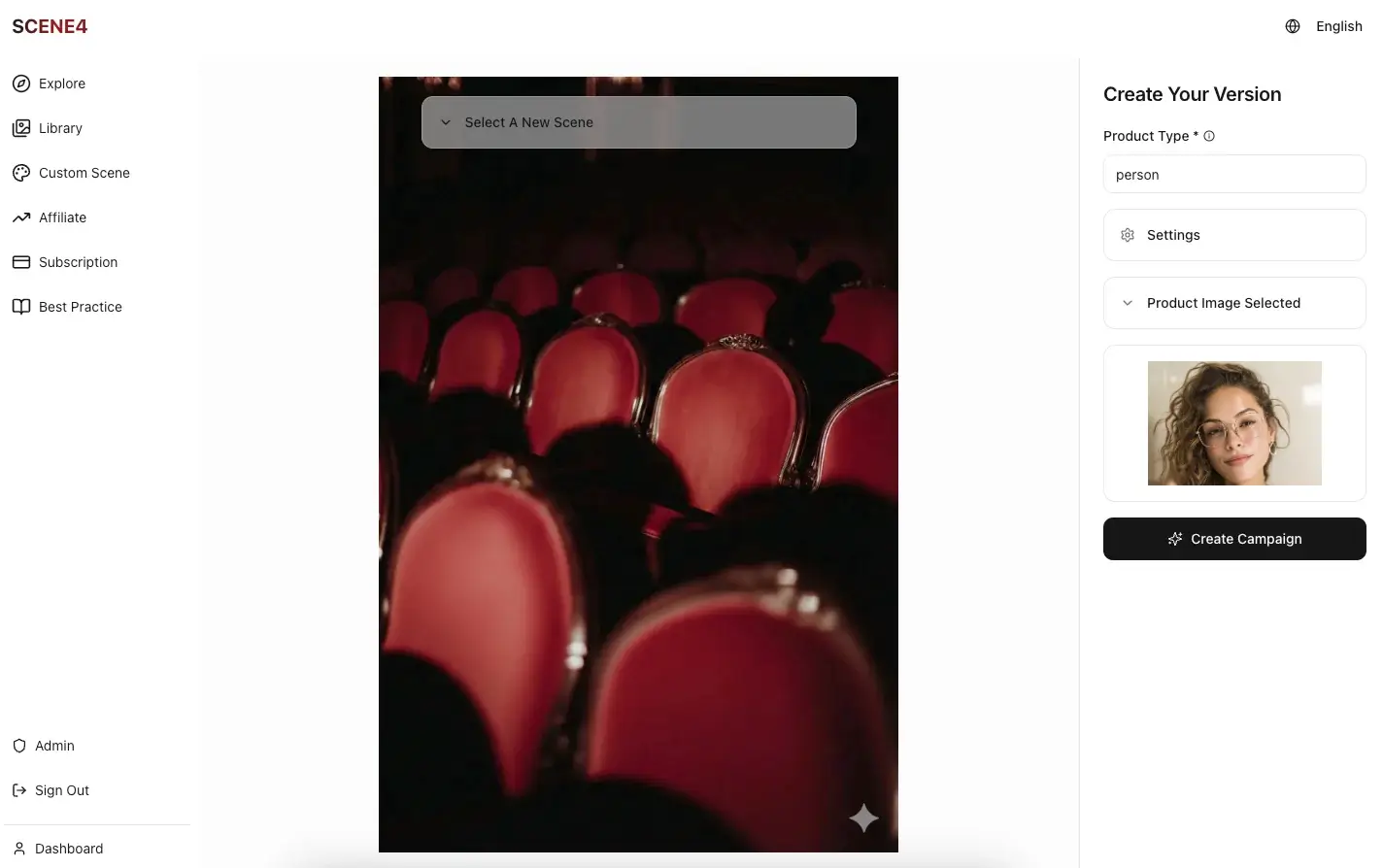
NB: SCENE4 is built for product campaign images. In this case, when we want to insert a person's image into a scene/background, just upload the person's selfie as the product photo and in the Product Type field, enter: "person". Then the SCENE4 system would understand that its job is to feature the person in various scenes.
Then click Create Campaign.
Result-5:
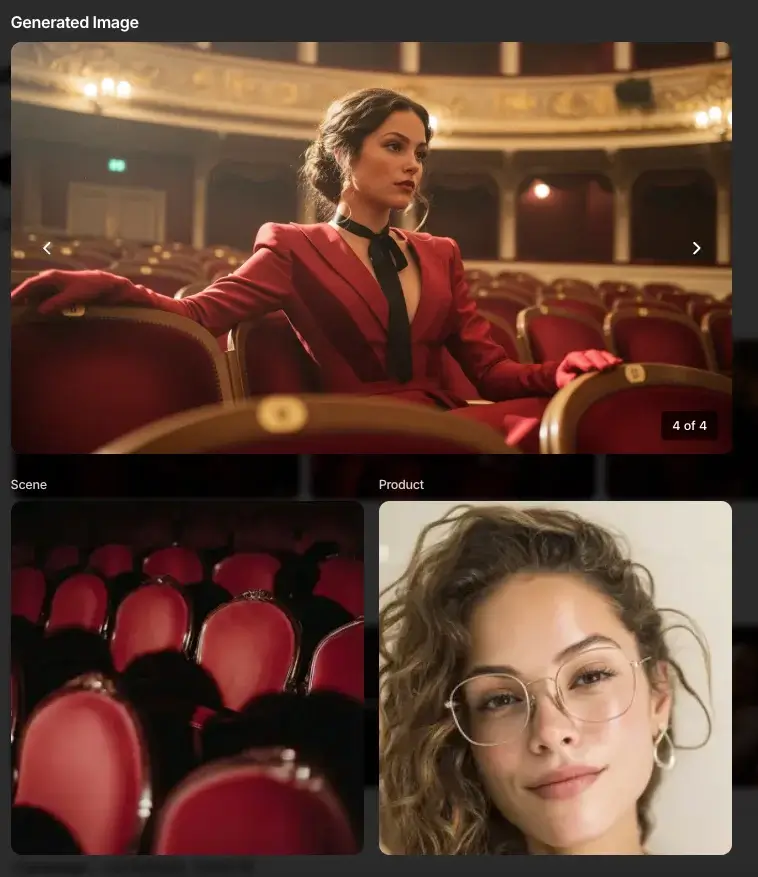
SCENE4 generates:
The same person
True identity preservation
Correct scale (no giant head!)
Cinematic integration
Shadows adjusted to the environment
Scene rebuilt around the person
The person's outfit/styling is designed automatically to fit the scene
This is the first production-ready image of the workflow. No prompting is needed.
STEP C — Expand Campaign (Same Scene, New Angles)
This is where the power of SCENE4 comes into play. Suppose we need to generate variation images for the campaign. Using Expand Campaign function, SCENE4 creates:
Result-6:
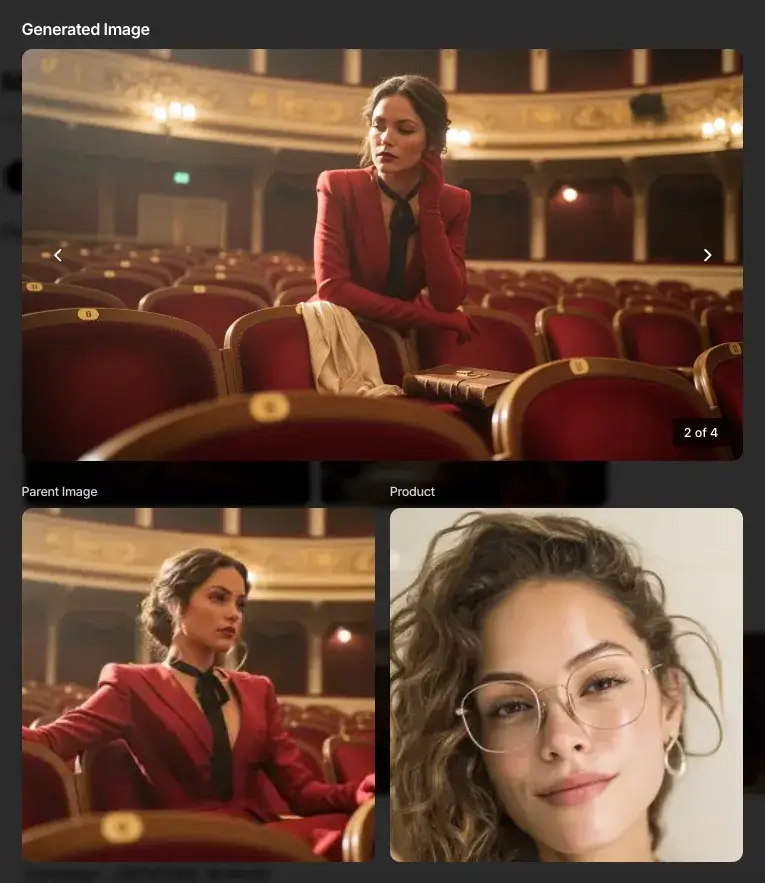
New poses
New camera angles
New lighting variations
Same person, same face, same proportions
Same mood and styling
Perfect for:
Social media
Ad variations
Lookbooks
A/B testing
All from a single selfie. No prompting is needed at all.
STEP D — Expand Story (New Scenes, Same Identity)
And this is where the magic happens.
Next, I clicked Expand Story, and SCENE4 generated:
Result-7:
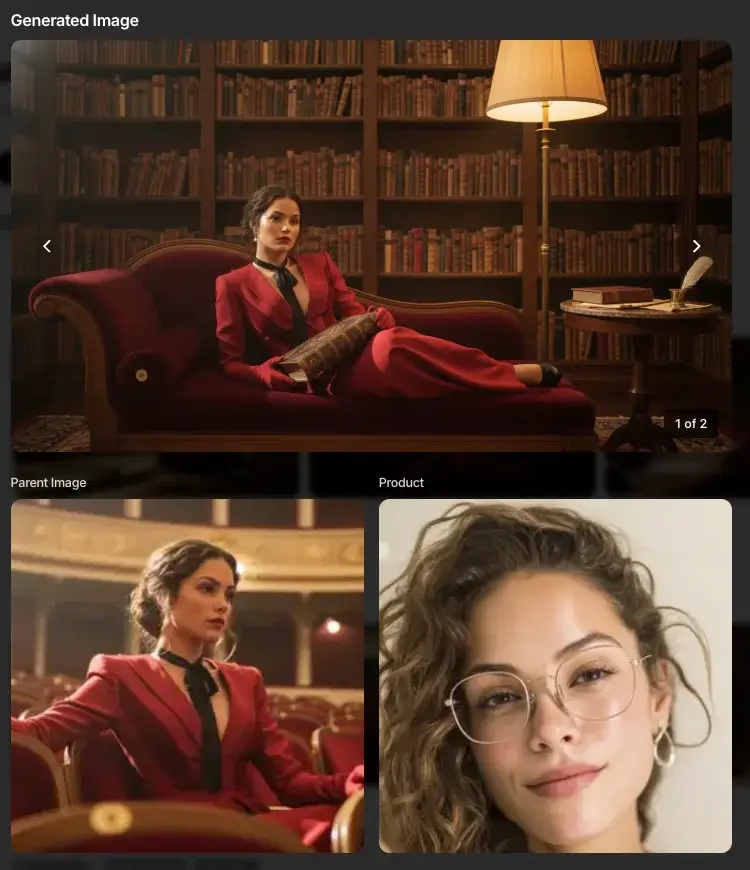
A library scene — same woman, same facial identity, same styling energy.
Result-8:
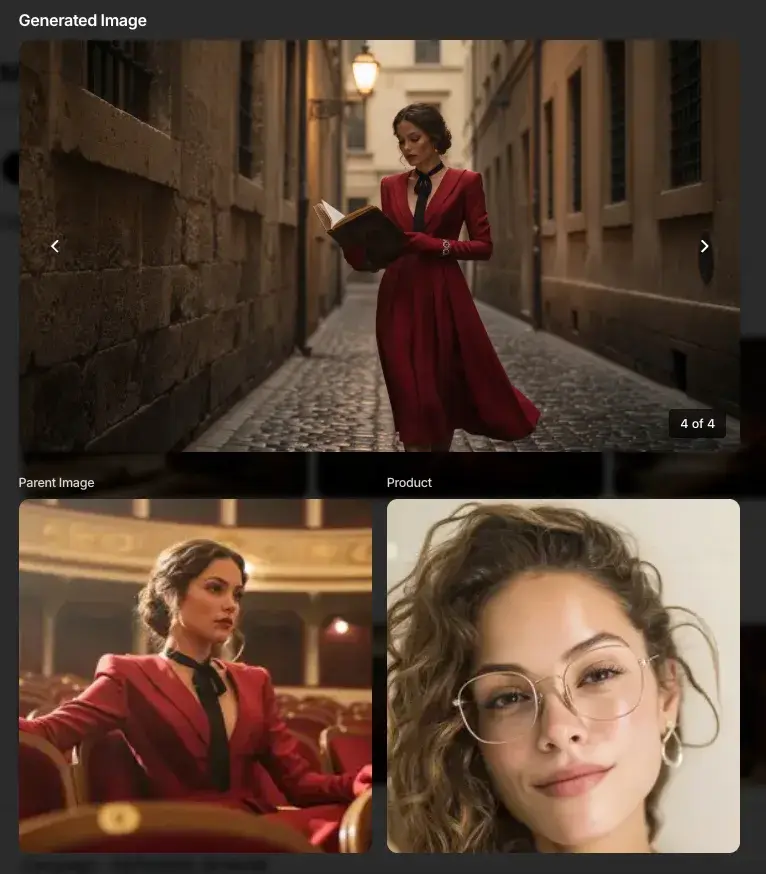
A cobblestone street scene — again same character, preserved flawlessly.
Result-9:
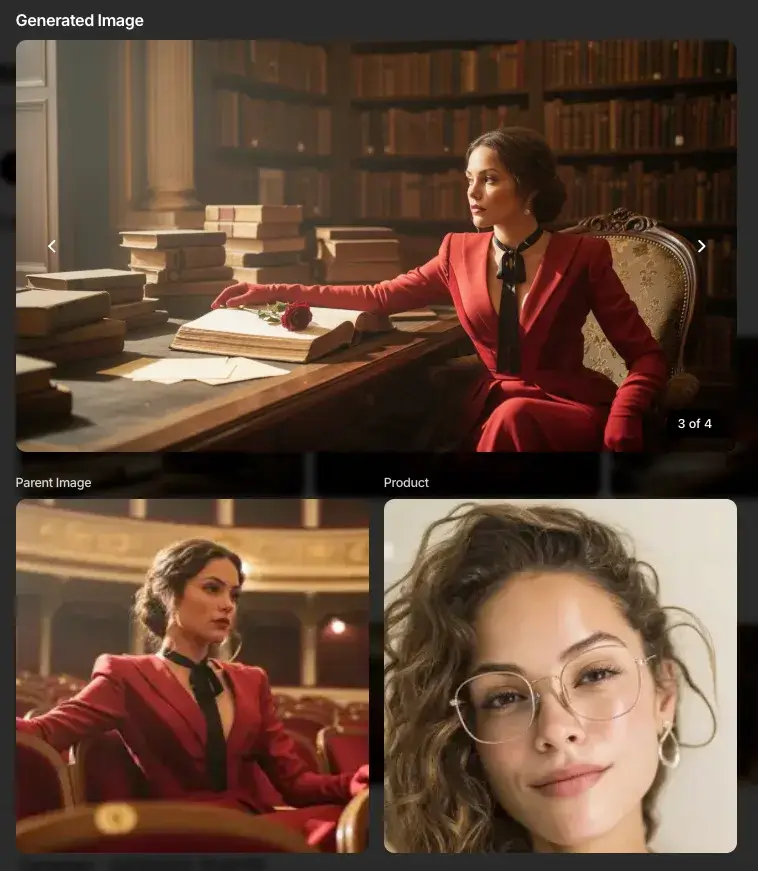
A classic desk scene — again same character, preserved flawlessly.
This is impossible in Nano Banana alone.
It is also impossible in MidJourney or DALL·E.
Only SCENE4 builds full multi-scene campaigns while preserving identity, physics, proportion, and style. All with a click of the button.
Final Verdict — Where Nano Banana 2 Shines (and Fails)
Nano Banana 2 Strengths:
Character consistency
Multi-step edits
Removing objects cleanly
Swapping faces
Blending accessories
Great for creative concepts
Great for moodboards
Great for fashion / beauty ideation
Nano Banana 2 Limitations:
Head/body proportions often wrong
Identity fidelity not 100%
Scale issues when combining images
Lighting inconsistencies
Not production-safe
Solution: Hybrid Workflow
Use:
Nano Banana 2 for concepts
SCENE4 for production-ready campaigns
This combination gives you:
Realistic, accurate human identity
Photographic consistency
Multi-scene campaign storytelling
Zero hallucinations
One-click ad variations
Quick FAQ
Q: Is Nano Banana 2 better than Nano Banana 1?
Yes — dramatically.
Better identity consistency, multi-step editing, object understanding, and fewer hallucinations.
Q: Can Nano Banana 2 generate 4K images?
It outputs high resolution, but not true commercial-grade 4K. SCENE4 supports ultra-high clarity.
Q: Does Nano Banana 2 support multi-step edits?
Yes — and it no longer collapses under repeated edits.
Q: Can it replace a studio?
No.
But SCENE4 can replace 100% of studio work when paired with a single product or person photo.
Final Thoughts: Nano Banana 2 as the Creative Director, SCENE4 as the Production House
The winners in 2025 aren’t the brands that rely on one tool — but the ones that orchestrate the right tools for each stage of creation.
Nano Banana 2 gives you ideas, scenes, characters, composition, mood.
SCENE4 turns those ideas into real, sellable, accurate campaigns.
If you want your product, your model, or yourself to appear in cinematic worlds with perfect proportions, accurate lighting, and brand-consistent storytelling…
This hybrid workflow is now the gold standard.
When you’re ready, upload one selfie, one inspiration image — and watch your entire cinematic campaign build itself.
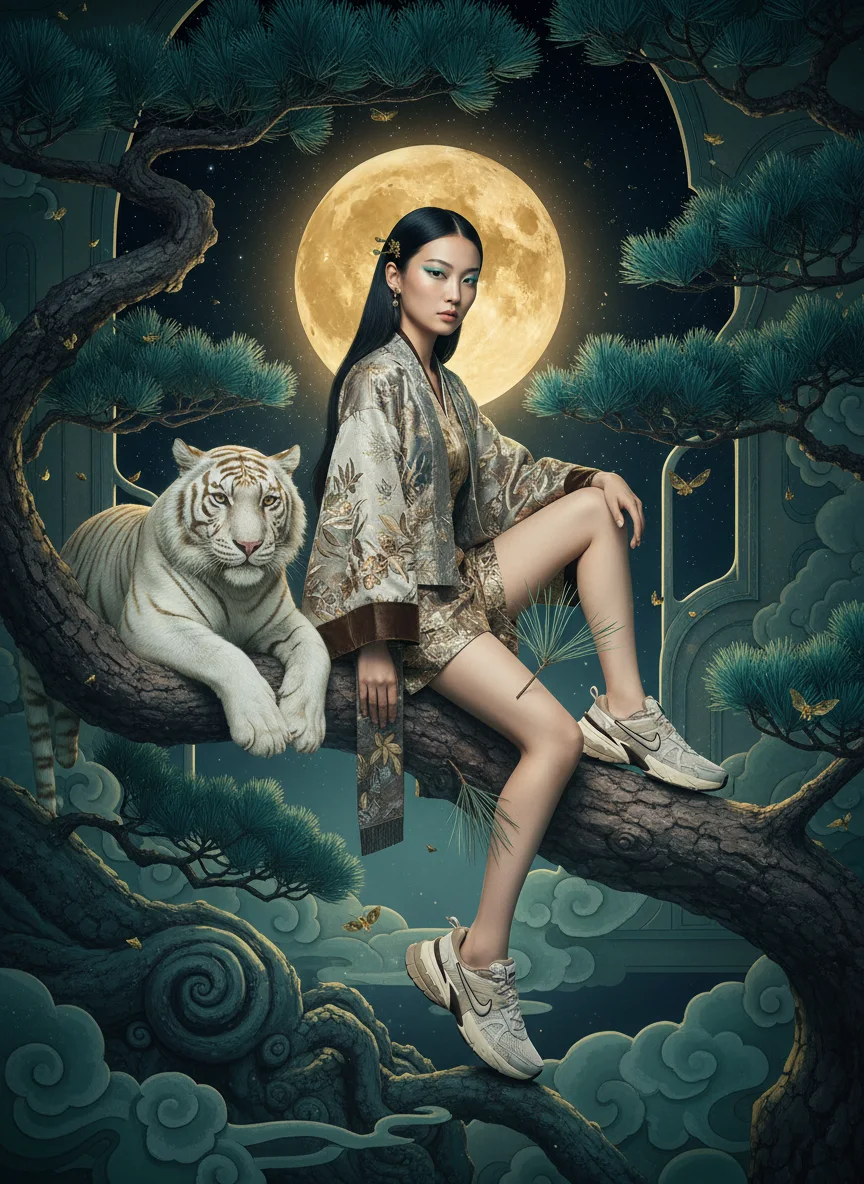
Art Direction Automated
Because creativity should move at the speed of imagination. SCENE4 made that possible.
Art Direction Automated
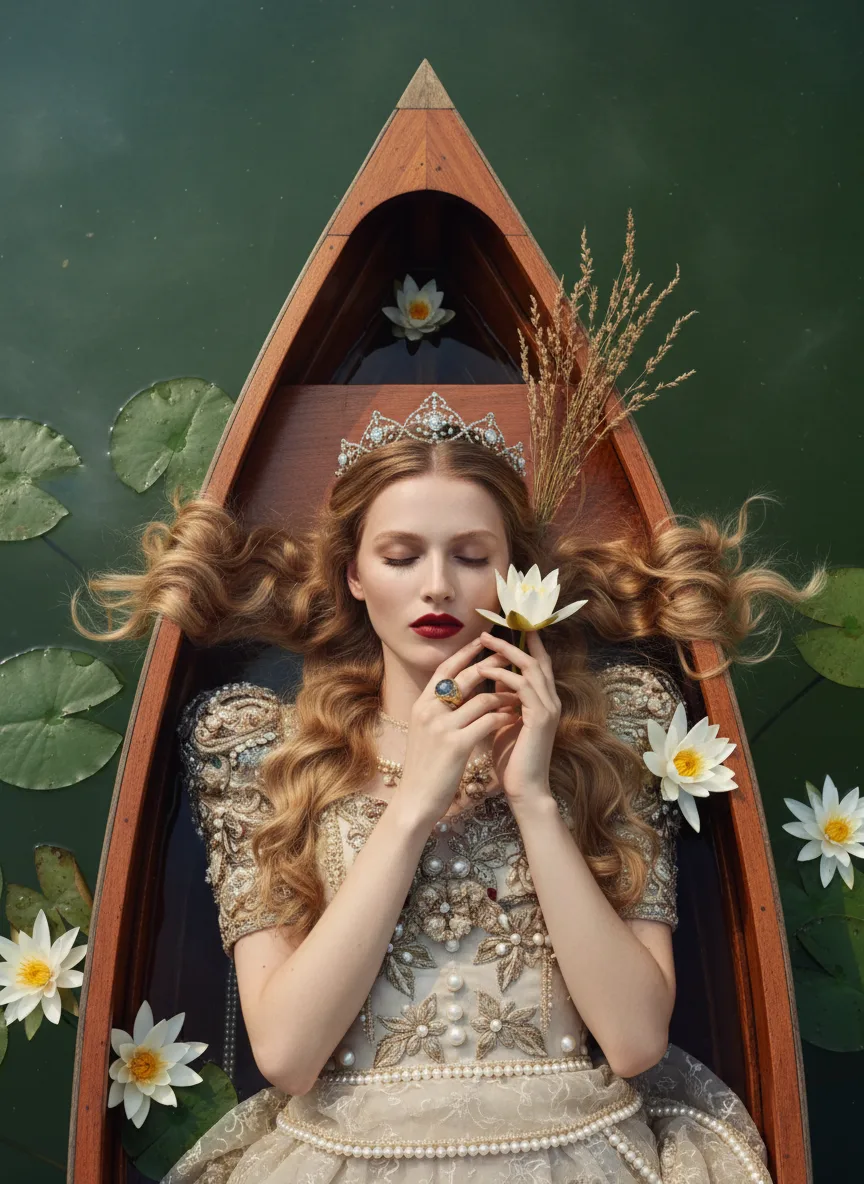
Because creativity should move at the speed of imagination. SCENE4 made that possible.
Art Direction Automated
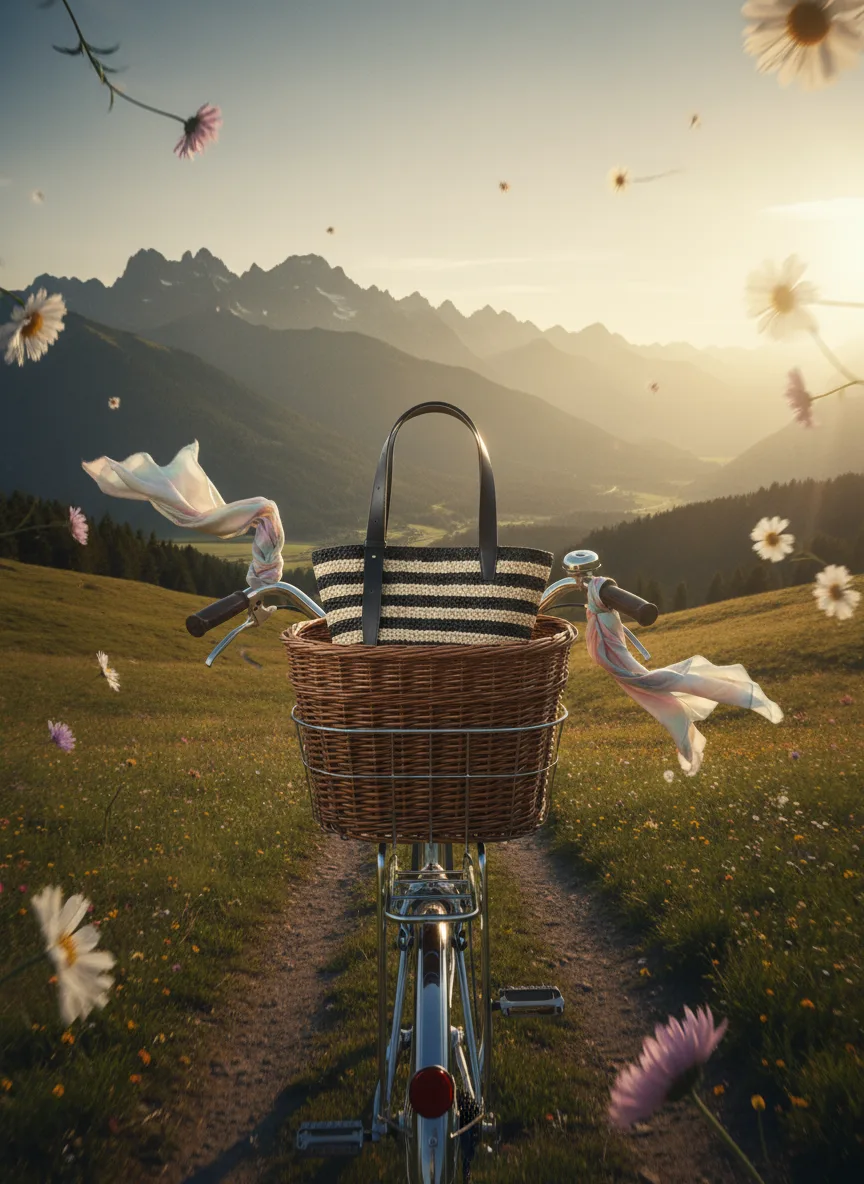
Because creativity should move at the speed of imagination. SCENE4 made that possible.